A Fishing Minigame Console
Bevy on embedded hardware
For the past few weeks, I have been working on a birthday present for a friend. The only inspiration I had was “Fishing Minigame”, and I wanted to use the circular ESP32 touchscreen I’d been sitting on.
I knew Bevy supports no-std, and I’d been meaning to try running Bevy on embedded hardware, and this seemed like the perfect chance.
Full disclosure: I use a heavily AI-assisted workflow, but I have extensive experience with all the skills and technologies used here, and pre-AI work as evidence (not that I think that should matter). This writing is fully human authored and my own thoughts.
The final project and everything used to build it are present on the GitHub repo for this project: mwbryant/fishing-minigame
This project includes everything: the hardware interface layer, the game, the source code that programmatically generates the trailer, and the code that generates the CAD files for the casing.
What is it?
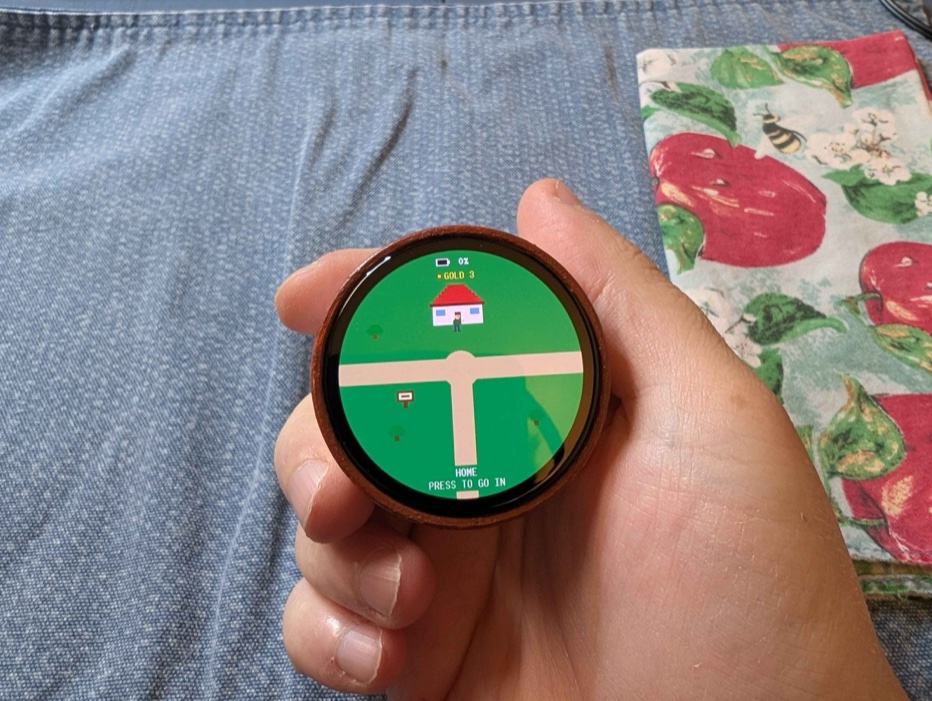
My final product is this handheld game console. I 3D printed and hand-painted the case to look like a fly reel.
The game itself is heavily inspired by Nintendogs. The core loop is:
- Go to the pond to catch a fish, which is then named and kept in a tank at home
- Teach it tricks that use the built-in mic or touch gestures
- Take it on walks that use the IMU as a step counter to record the distance traveled (I struggled getting the GPS to lock and didn’t want to waste more time debugging that, been there, done that 😛)
- Compete using the tricks and stamina built from walking to earn gold in the contest hall
- Spend gold in the hat shop
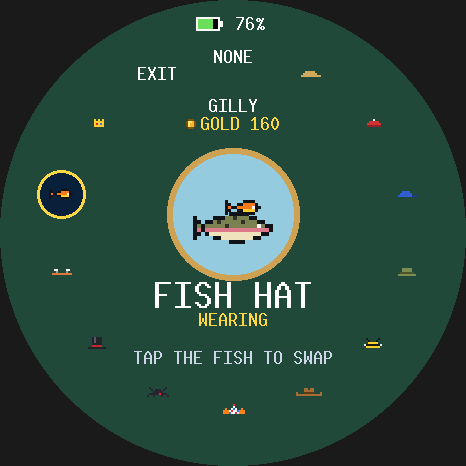
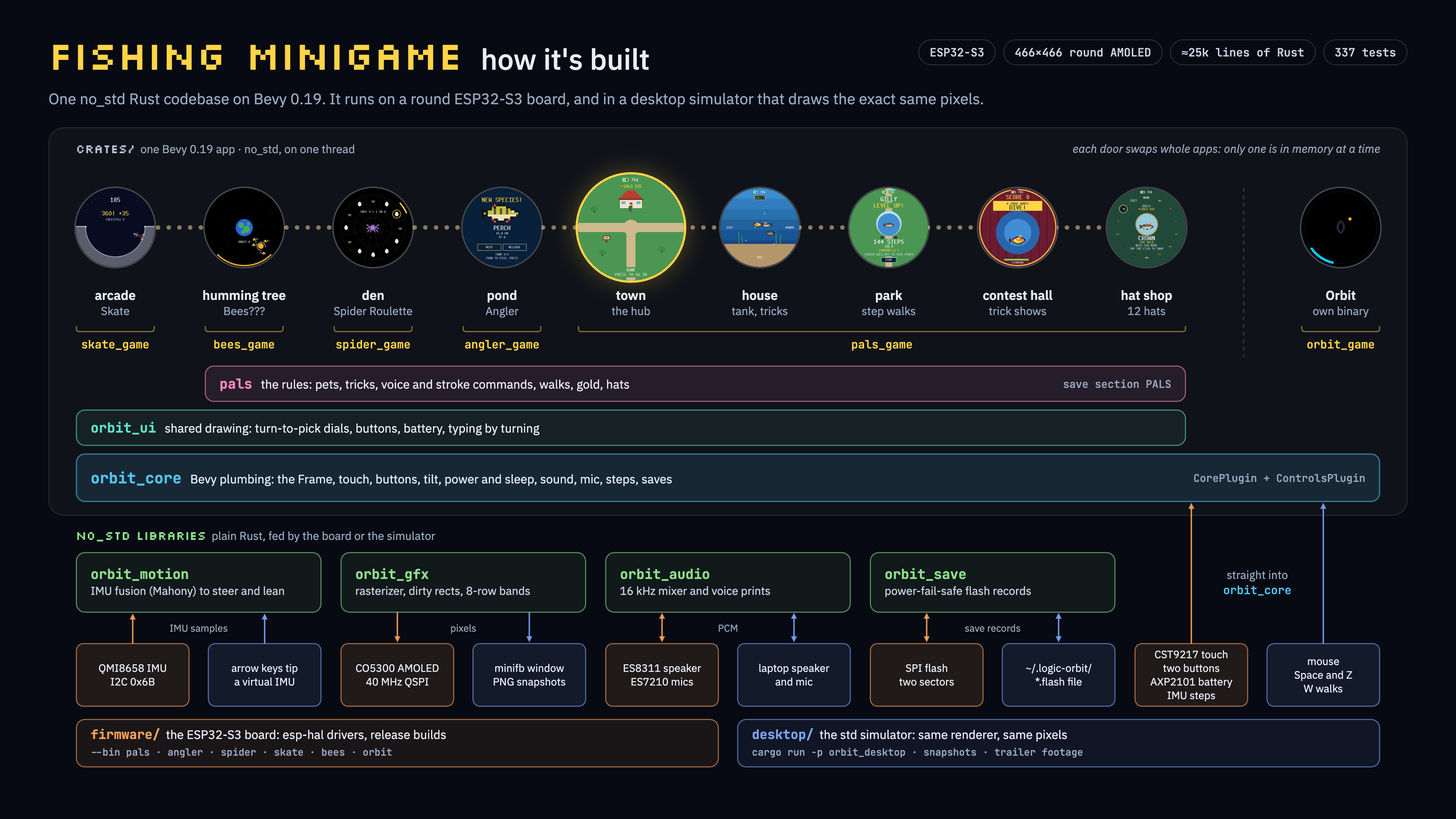
There are also other inside-joke minigames like a spider casino, bees using the moon as a honey pot, and a skateboarding minigame. All of this is navigated by an overworld of 6 screens in a rectangular grid.
The shape of the firmware
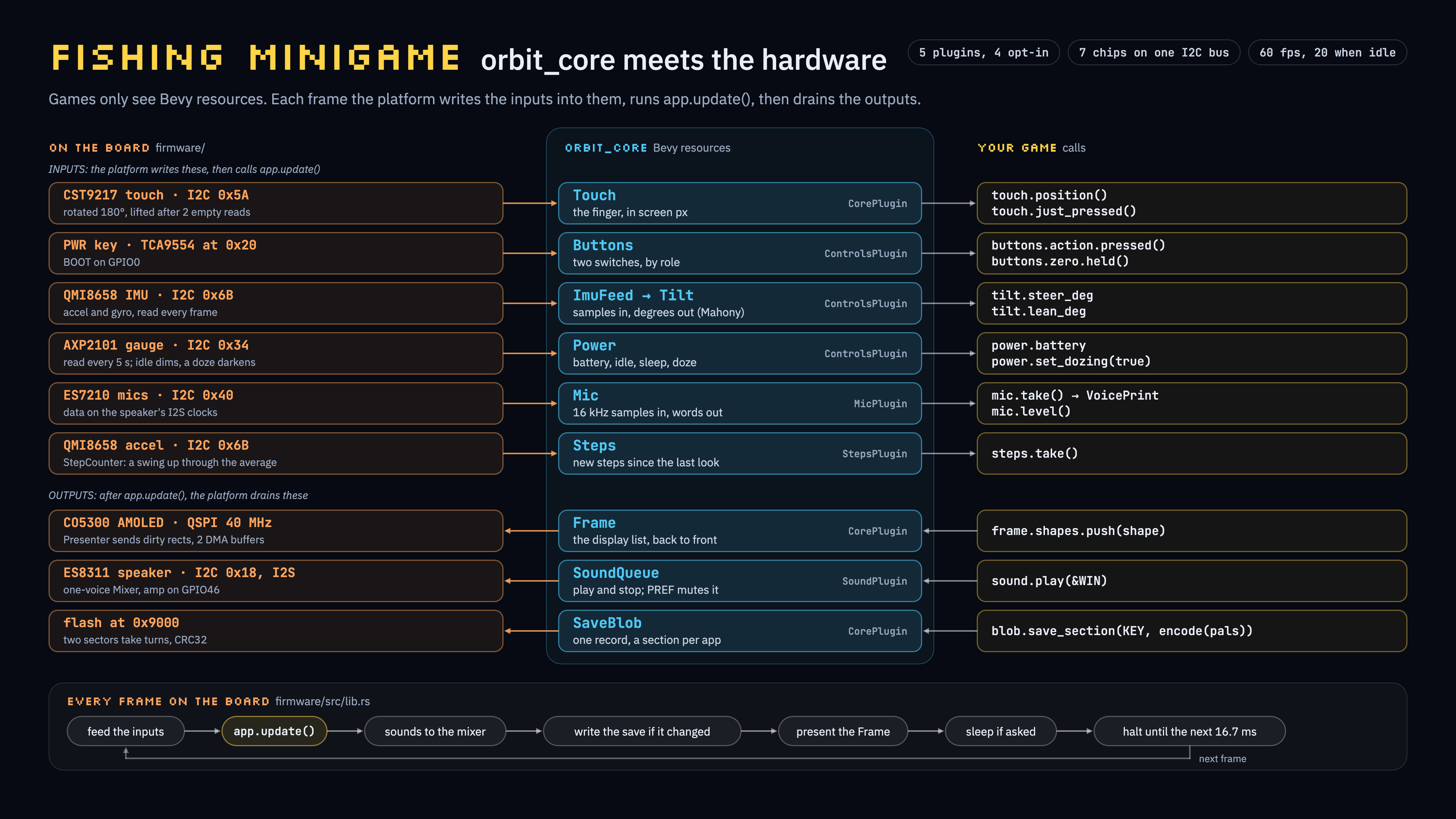
Most of the structure is better explained in the diagrams, but the core design is to create our hardware abstraction layer in a crate called orbit_core. This is then used by the game layer to handle the inputs and outputs. There are many interesting nuggets in here that are standard for projects like this, including a sleep mode to optimize battery life. Thankfully, ESP32s are a well-solved problem, and Waveshare even provided AI-friendly docs to accelerate the development steps that have already been fought 1000s of times before.
A core problem is fitting Bevy’s heap in the working memory of an embedded device. Thankfully, again, an AI-assisted workflow made generating proper comfy tooling for debugging and measuring this trivial. In another life, this would have been a week of engineering effort to create the throwaway tooling I’d need to understand what’s happening, but AI has commoditized generating tooling. Most of the human touch in steering the models is defining the high-level architecture and knowing the directions to point the bot to find info. The AI handles digesting massive datasheets and makes it possible to do full projects like this as a single 1-off project on a tight timeline.
A cool note is that as long as the heap is managed, we are not even close to hitting the max size of the actual game and assets. This game could be dramatically expanded in scope, and I am nowhere near the limits of the device for this project. Now that I have the base hard problems solved, this is a viable platform to build out something really impressive, and I have already ordered more of these dev boards to play with.
Bevy Rendering without std
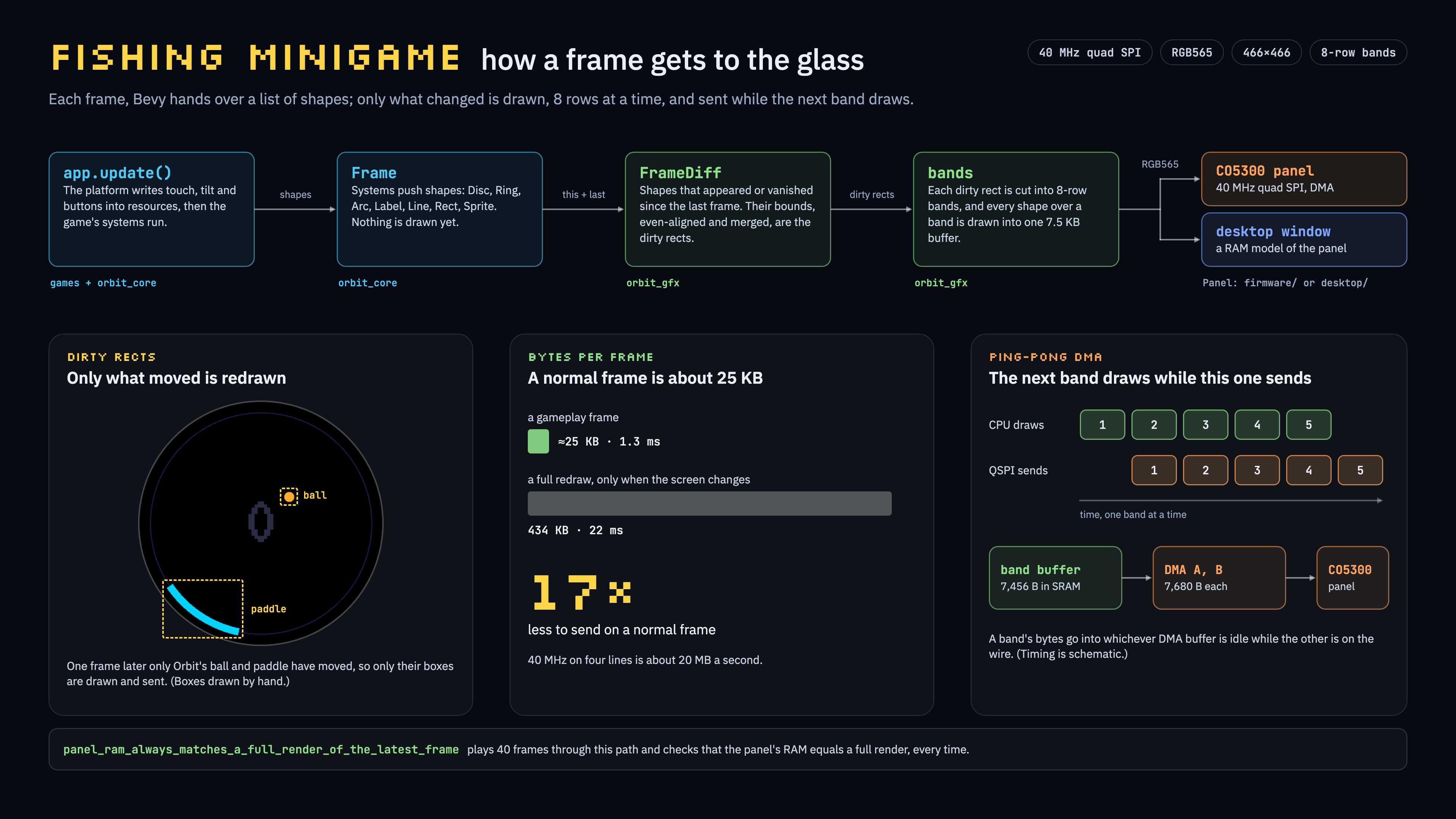
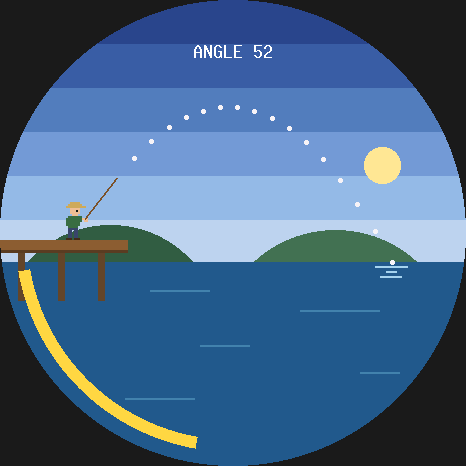
Another core issue is that we need a full custom bevy_render replacement. None of the graphics in the game are actually PNGs; they are all colored ASCII art and basic shapes. Also, for power and framerate reasons, we need to be clever about how we actually render the frame. On PC it’s fine to slam a full new screen every frame, but here we need to only send updates to the screen, or we drop frames when doing a smooth animation like filling the fishing charge bar.
Again, care was taken to separate the game design concerns from the technical underbelly.
The Trailer and Case
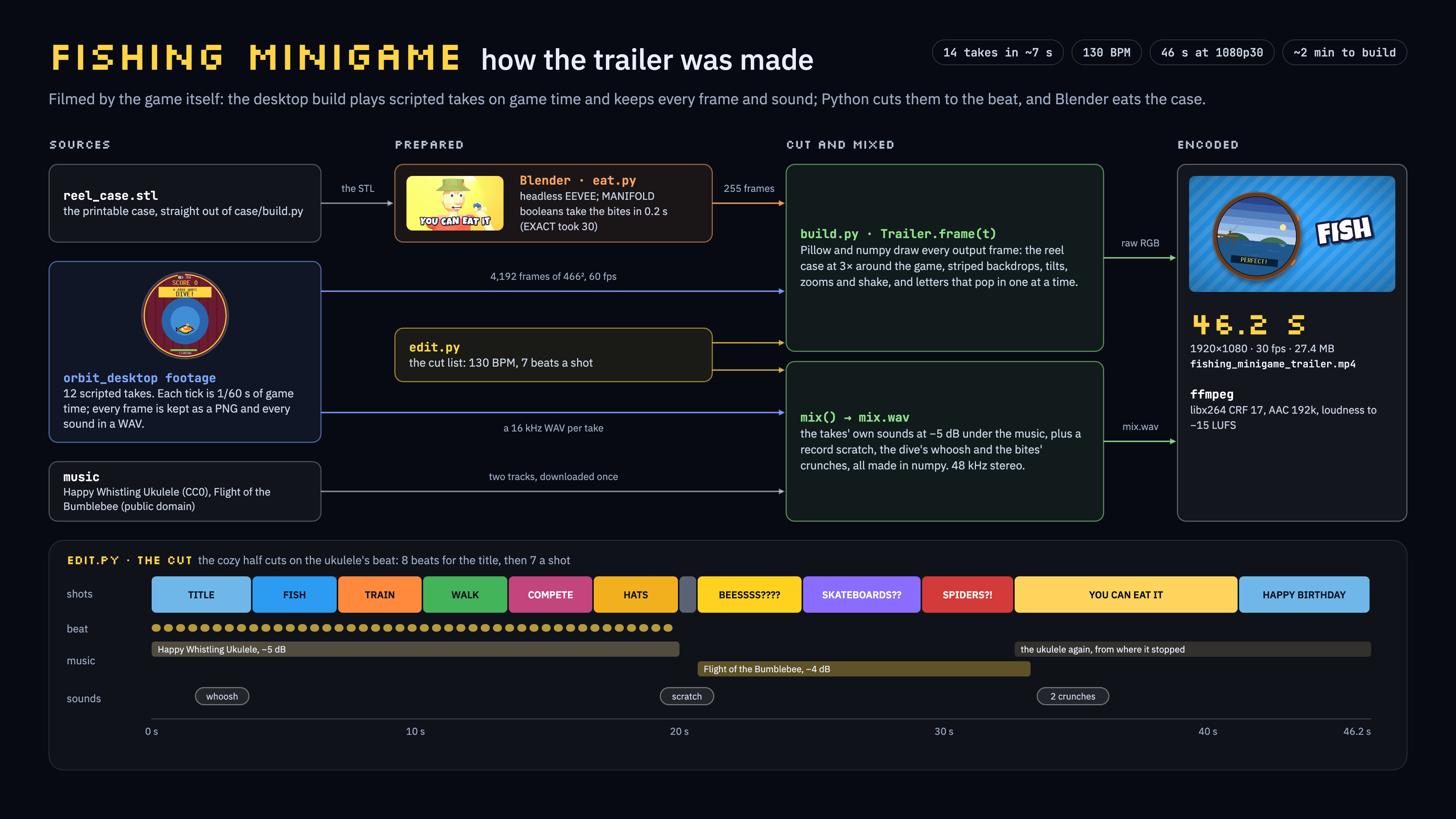
The final non-software touches were also done by an AI-driven workflow. I’ve always dabbled in code-driven video editing (my wedding slideshow was a bash 1-liner, and I have lost hundreds of hours trying to reimplement Manim), but now it seems like it’s trivially achievable. AI is so at home with creating the horrific ffmpeg commands needed that I actually don’t see myself ever opening DaVinci Resolve again. I have the clips and the storyboard I want, and then I just let the beast run the commands to stitch them; it can even handle the attention to detail of matching music to transitions.
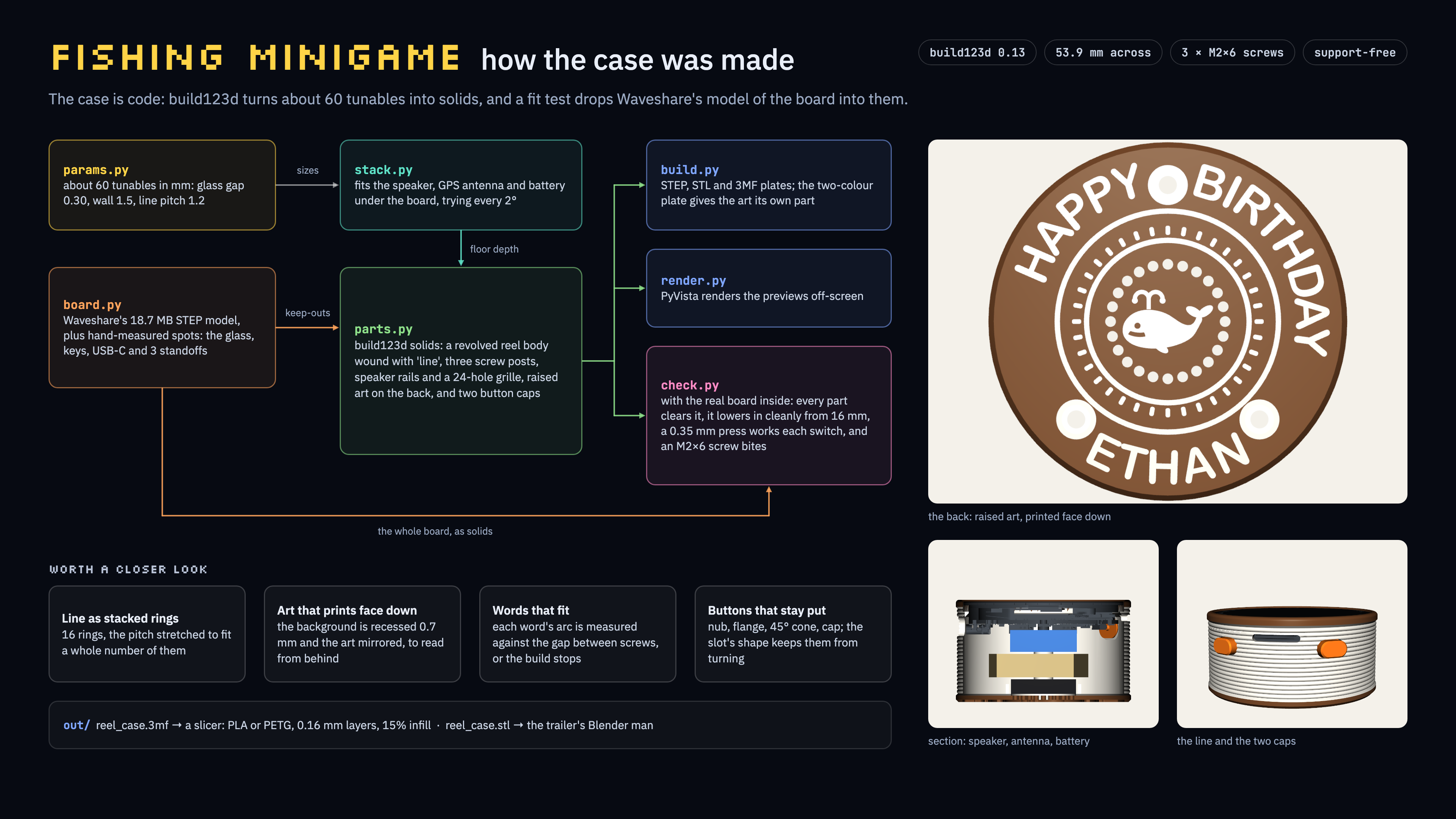
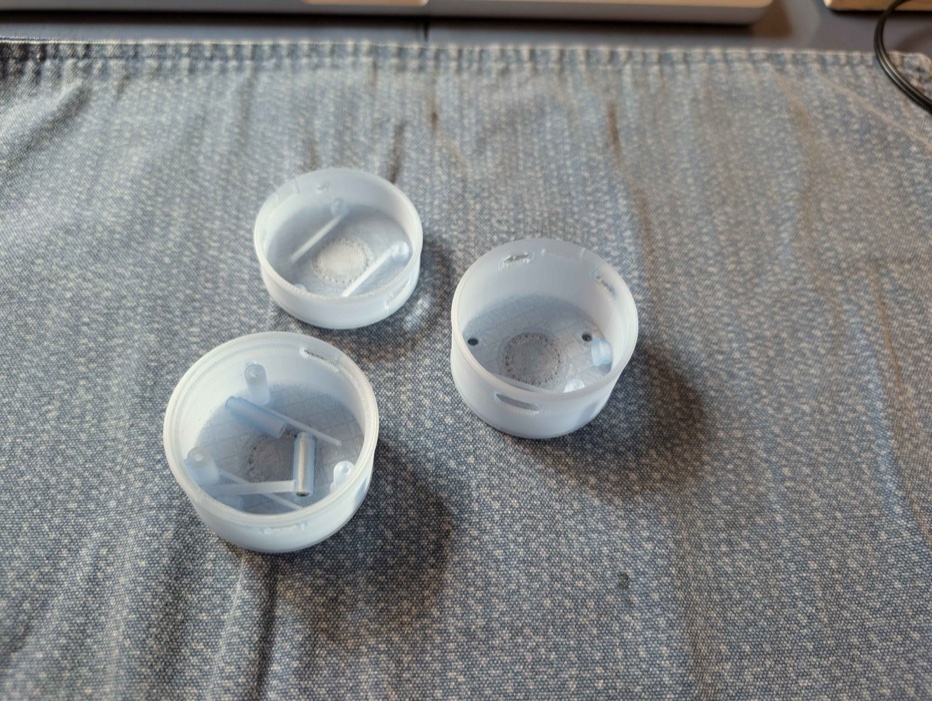
The CAD for the case was another step I was dreading. I’ve done modeling in Blender, online CAD tools, Fusion 360 and Shapr3D, and none of them are my favorite things to fight. However, with an agentic workflow, I can just feed the manufacturer-provided models and describe the shape and edits I want. The AI handles checking all the design constraints, and I can just provide the artwork I want and the high-level design. The case I had in mind is very simple and is honestly just the one I could have bought with the dev board with some custom graphics on the bottom and a bit of styling on the side, but it’s still cool that even the 3D work can be reduced down to code.
I did spend most of my hours iterating on prints for the device and painting it, which was a great thing to do while models spun on the horrors of setting up and fighting with QEMU 😛.
Other novelties/thoughts
Another piece of critical tech that I would have skipped in a pre-AI world is the fact that this runs on desktop and web as well. In another life, I would have always had to cycle a full flash to debug and test the game, but it’s trivial to just ask an AI to give me the side path to run all of this in a desktop “emulator”. I always could have done this, but that level of care wouldn’t have fit in my dev schedule for this without cutting scope elsewhere. The entire balance has shifted in a very good way: without these side niceties, I would have probably only delivered the core fishing game, or maybe just a render of a spinning pixel art fish.
There are also debugging ideas that the bot had for its own loop that I wouldn’t have ever thought of: it used macOS say to test out the voice recognition, where I would probably have just caveman-flashed and tested every time in a loop. The cost of doing things the “right way” has dropped by an order of magnitude.
I think there is a bit of internal feeling in me that AI is cheating, but my takeaway is that I was able to just add more scope to the project. At the end of the day, I had 20 human hours to put into this, and AI didn’t change my effort level. All AI changes is the scope of the final product. I am firmly comfortable saying this is not a slop product, and I have put more than enough soul into this to call it my present for a friend, not a vibe-coded piece of garbage.